How it works
From idea to shipped code in four steps.
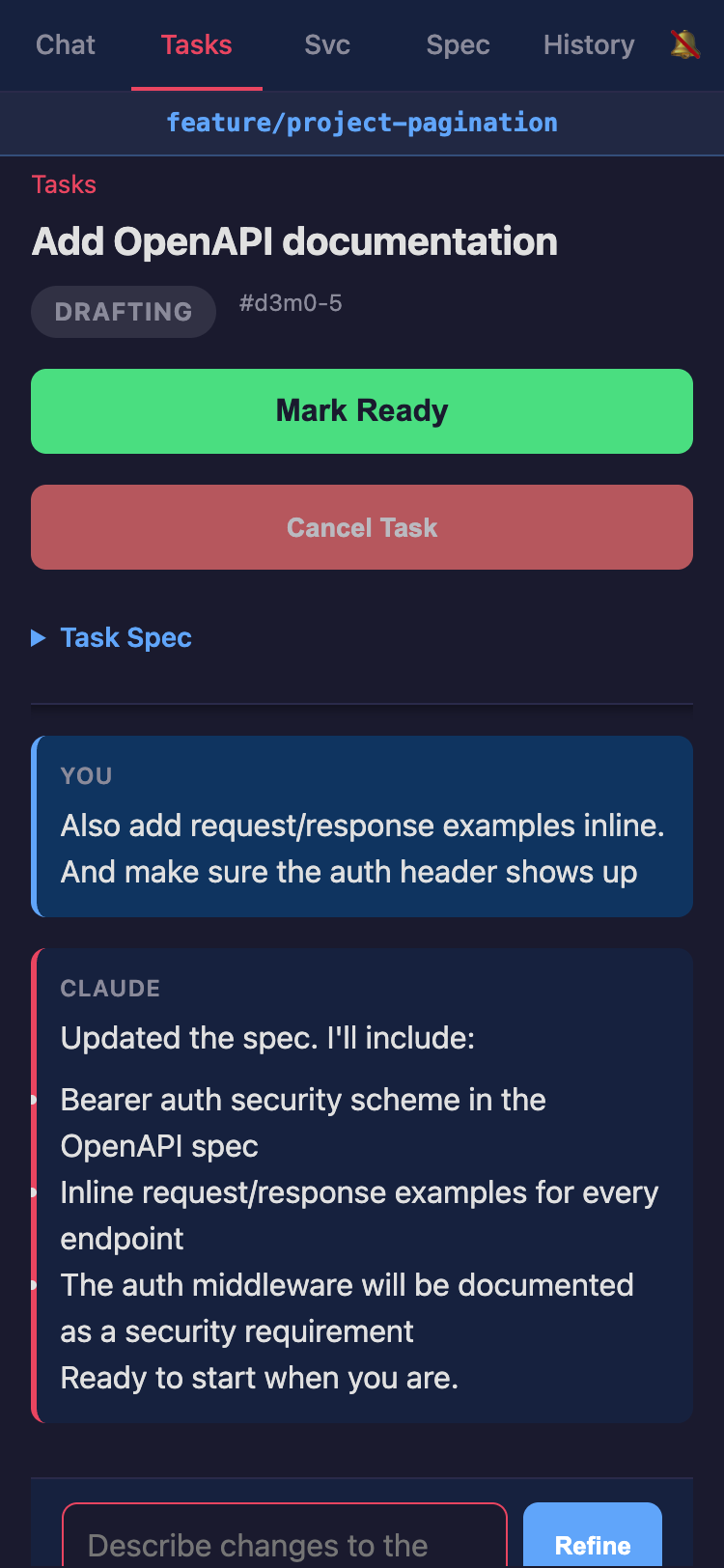
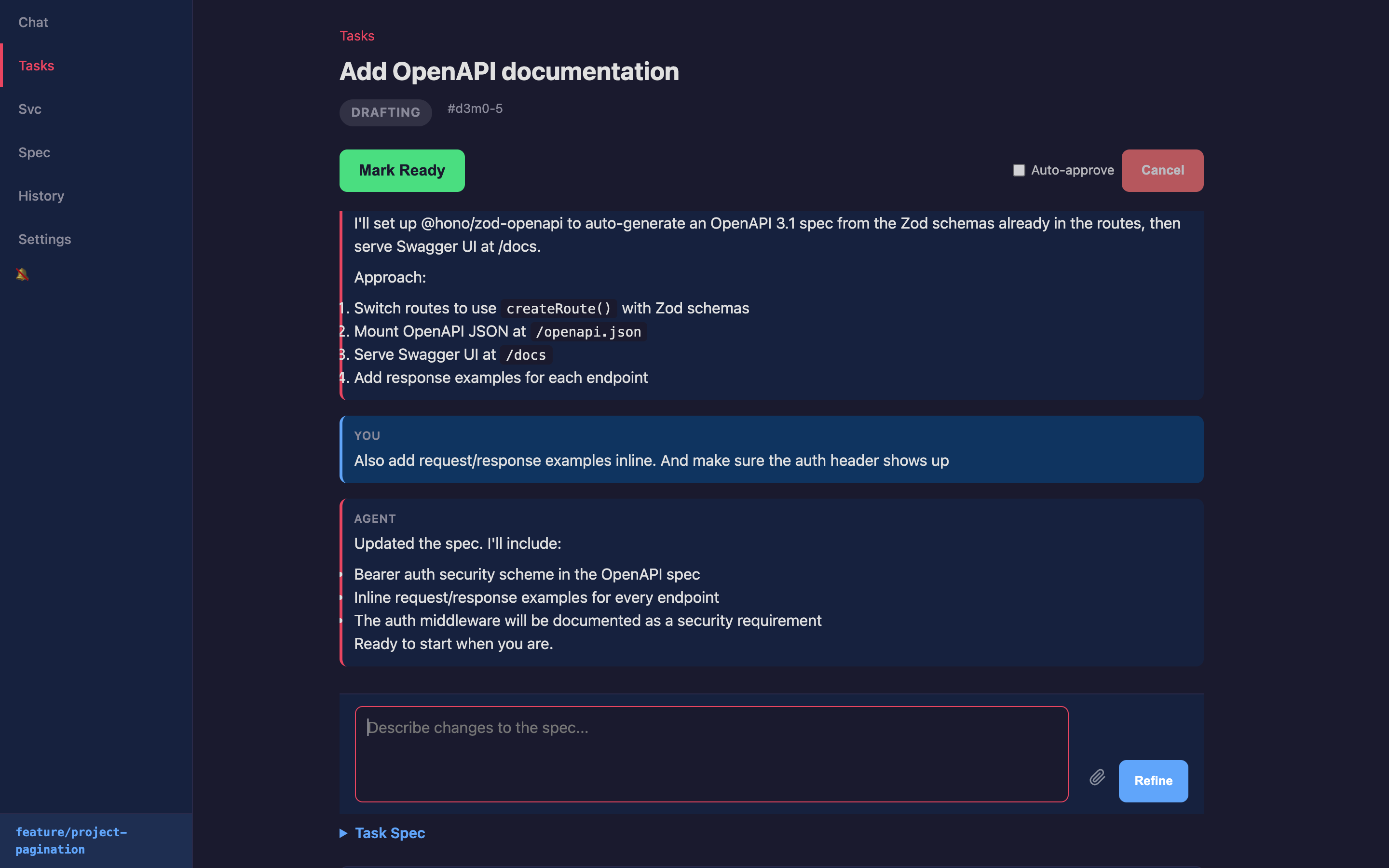
Describe a task, agent writes the spec
Describe what you want in a sentence. The agent researches your codebase — reads files, understands architecture, finds relevant patterns — then drafts a structured spec with scope, approach, and acceptance criteria. Refine through conversation until the spec is right. The spec is the contract: both you and the agent agree on what to build before any code is written.
Agent builds it
The agent works in an isolated git worktree — reading your codebase, writing code, running tests, and fixing issues autonomously. Choose which agent backend handles implementation: Claude Code, Codex, or Gemini. Watch every step in real time: file reads, edits, shell commands, test runs.
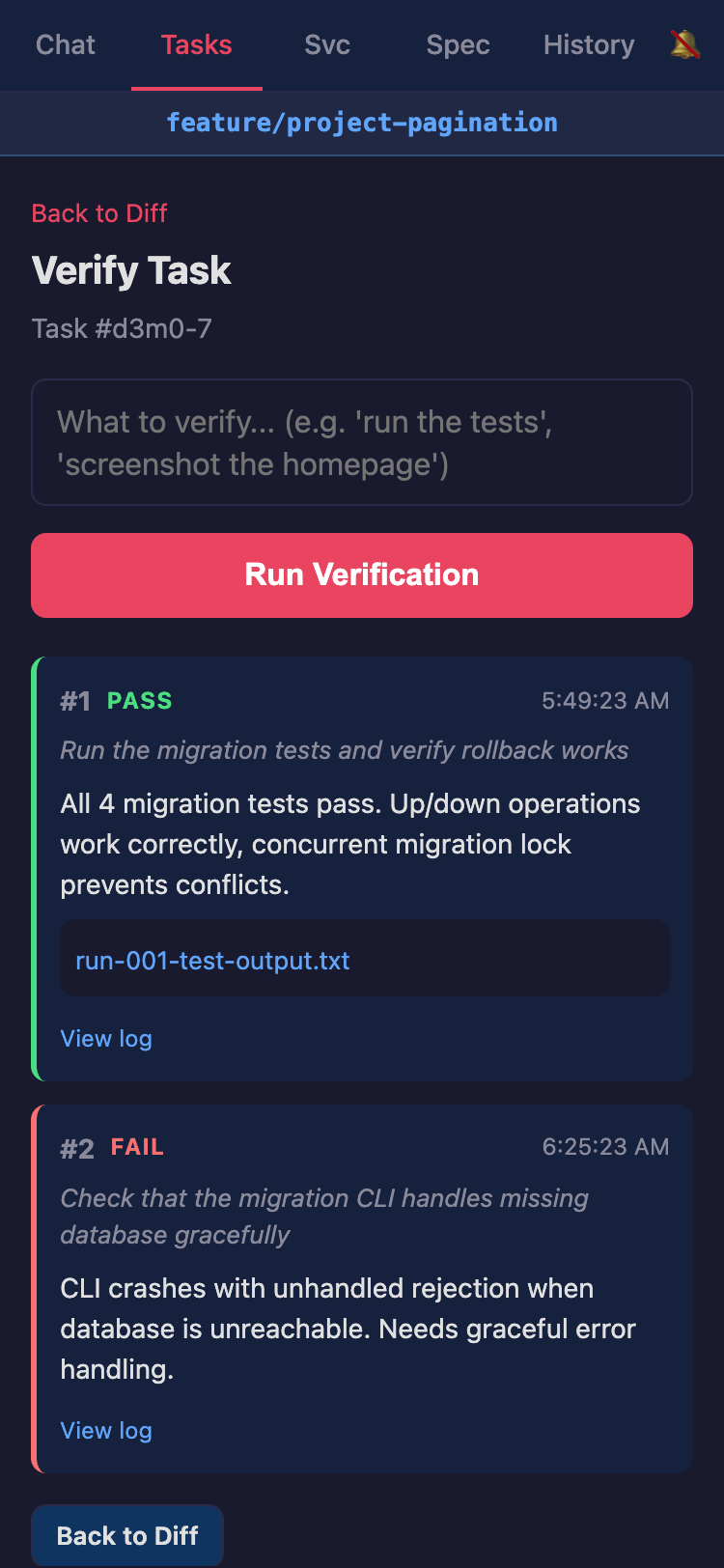
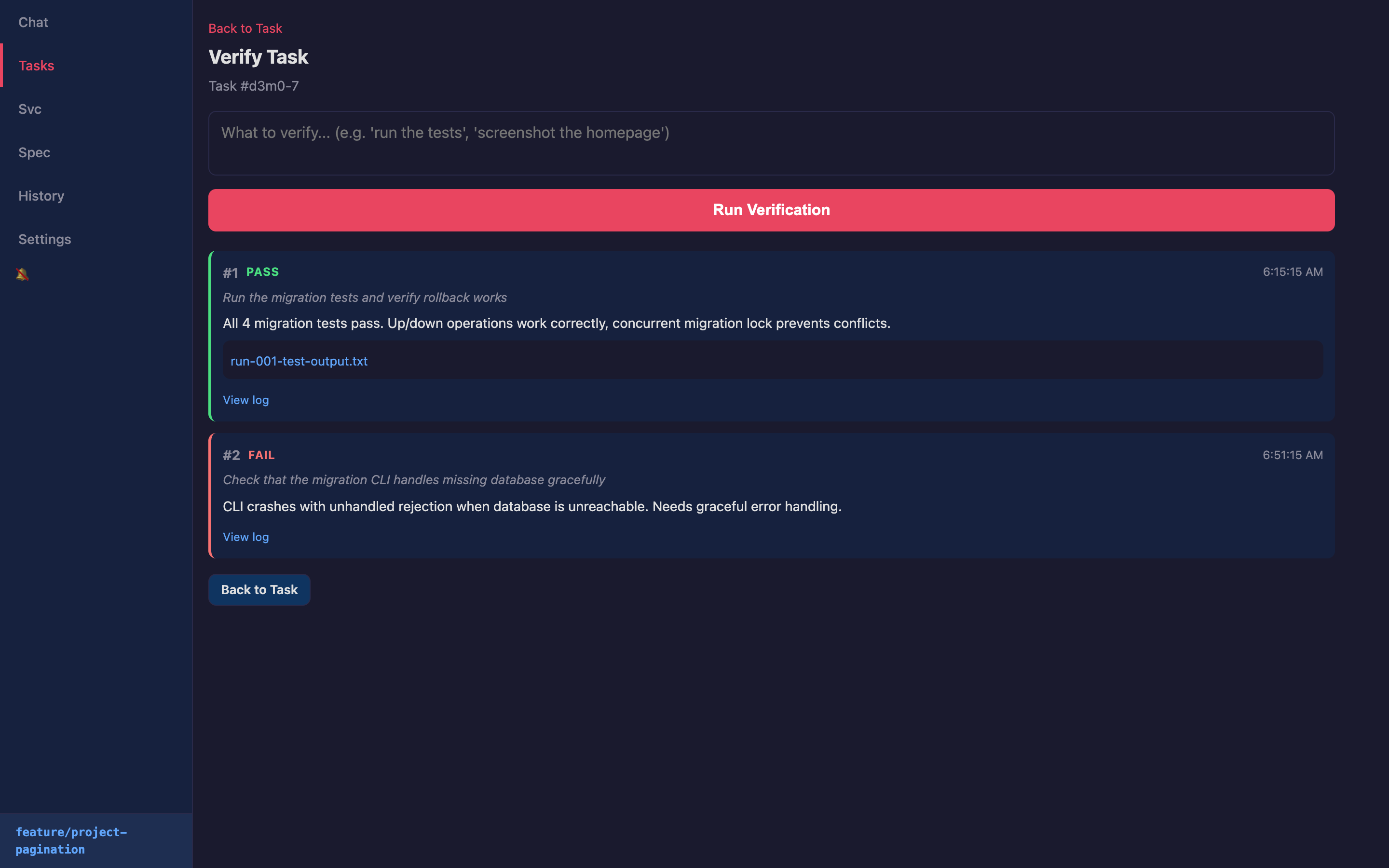
Verify the work
Before approval, run verification checks — tests, UI screenshots, or custom checks. See pass/fail results with full artifacts: screenshots, test output, logs. Evidence the work meets your criteria.
Review and ship
See the full diff — every file changed, lines added and removed. Approve to squash merge into a single clean commit. Reject to discard. The next task in the queue starts automatically.
The full lifecycle
Every task follows this loop — from idea through spec, code, verification, and back again.
Then keep going
Queue up more tasks and multiple agents work through them simultaneously, each in its own isolated worktree. Check back whenever you want.
--max-parallel-agents. Each task gets its own worktree — parallel work without conflicts.
Full audit trail
Every task, every agent action, every verification — committed to git as part of your project history.
.longshot/ and committed alongside your code.
curl -fsSL https://longshothq.com/install.sh | sh
Install in seconds, then run longshot in your project directory.